Bước 1: Tạo layout
Layout của fragment thứ nhất gồm một RelativeLayout chứa một EditText và một Button. Để tạo layout cho fragment thứ nhất chúng ta thực hiện các bước sau:
- Trong cửa sổ Project tìm đến thư mục app > res > layout
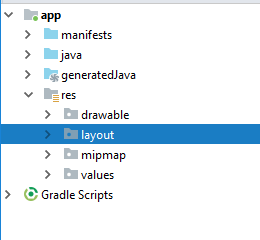
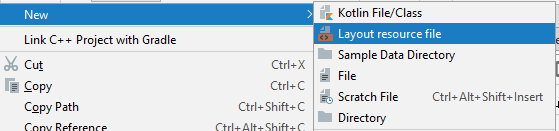
Nhấn chuột phải vào thư mục layout và chọn New > Layout resource file
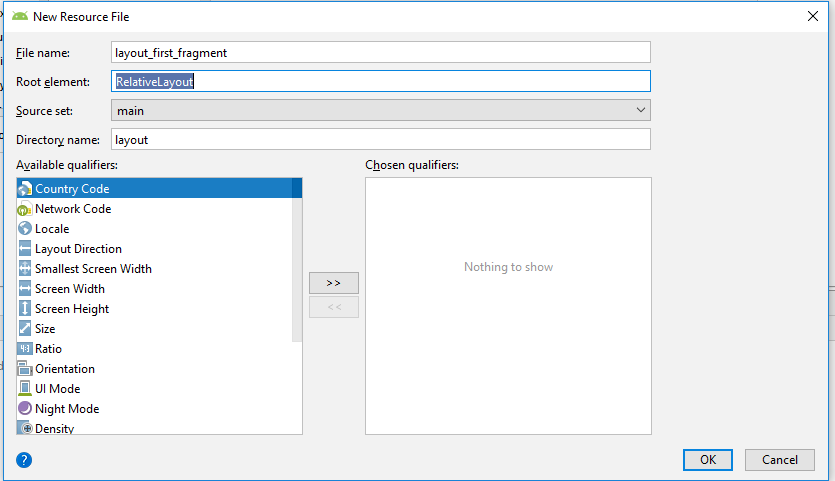
- Trong cửa sổ New source file nhập layout_first_fragment trong File name và RelativeLayout trong Root element:
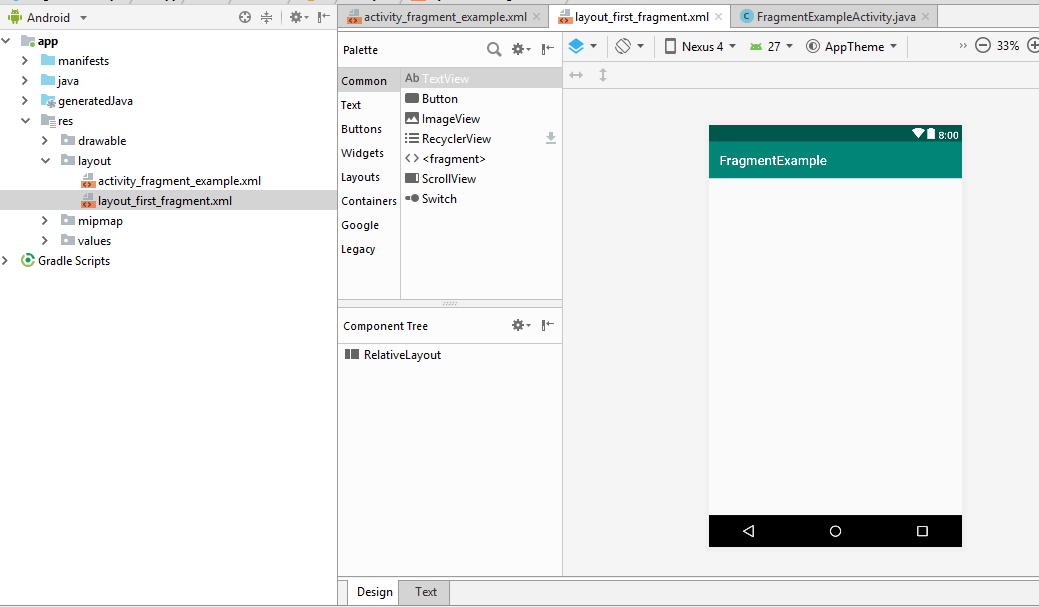
Nhấn OK. Tập tin layout mới sẽ xuất hiện như sau
- Chuyển qua chế độ Text và thêm các phần tử <EditText> và <Button> như sau:
<?xml version="1.0" encoding="utf-8"?>
<RelativeLayout xmlns:android="http://schemas.android.com/apk/res/android"
                android:layout_width="match_parent"
                android:layout_height="match_parent">
       <Button
            android:id="@+id/button1"
            android:layout_width="wrap_content"
            android:layout_height="wrap_content"
            android:layout_below="@+id/editText1"
            android:layout_centerHorizontal="true"
            android:layout_marginTop="17dp"
            android:text="Change Text" />
      <EditText
            android:id="@+id/editText1"
            android:layout_width="wrap_content"
            android:layout_height="wrap_content"
            android:layout_alignParentTop="true"
            android:layout_centerHorizontal="true"
            android:layout_marginTop="16dp"
            android:ems="10"
            android:inputType="text" >
            <requestFocus />
       </EditText>
</RelativeLayout>
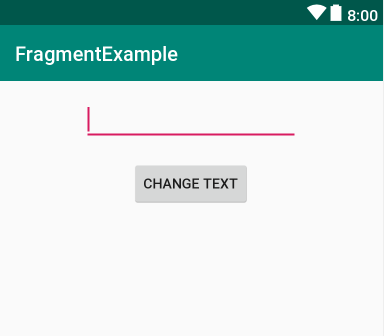
Chuyển qua chế độ Design sẽ như sau:
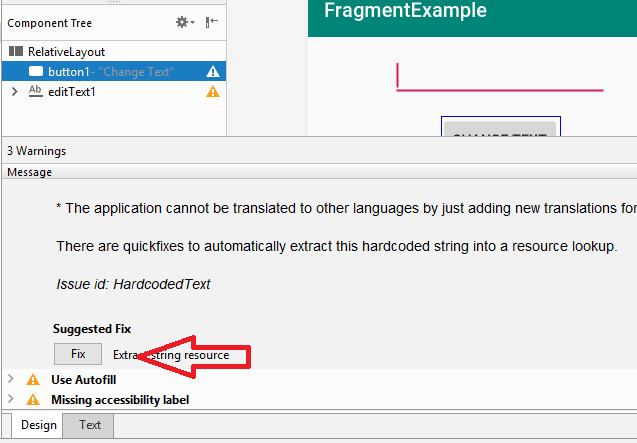
- Trong Component Tree nhấn vào biểu tượng tam giác chứa dấu chấm than màu vàng và chọn Fix ở cửa sổ Warning ở dưới (xem lại https://ngocminhtran.com/2018/07/11/dao-quanh-ung-dung-android-trong-android-studio-3-x/ )
Xuất hiện hộp thoại Extract Resource
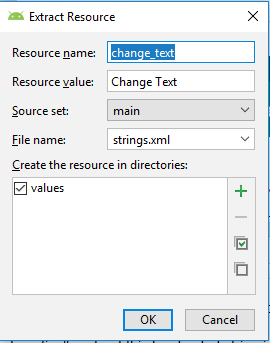
Nhấn OK. Sau khi tạo layout thành công chúng ta sẽ đến bước tiếp theo tạo tập tin chứa lớp fragment.
Bước 2: Tạo lớp fragment thứ nhất
Để tạo lớp fragment thứ nhất chúng ta thực hiện các bước sau:
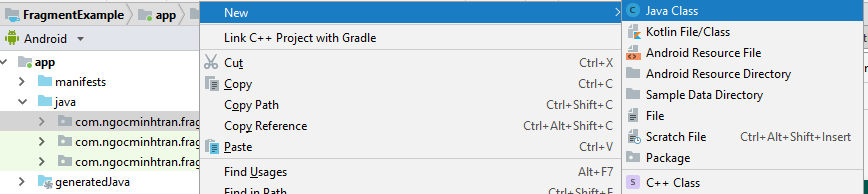
- Tìm đến thư mục app > java. Trong thư mục này tìm đến package (ngocminhtran.fragmentexample) chứa lớp chúng ta sẽ tạo và nhấp chuột phải vào package này chọn New > Java Class
- Trong cửa sổ Create New Class nhập FirstFragment trong Name
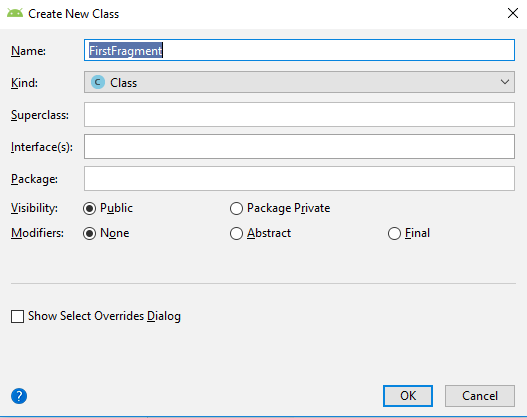
Nhấn OK. Tập tin FirstFragment.java chứa lớp FirstFragment sẽ xuất hiện
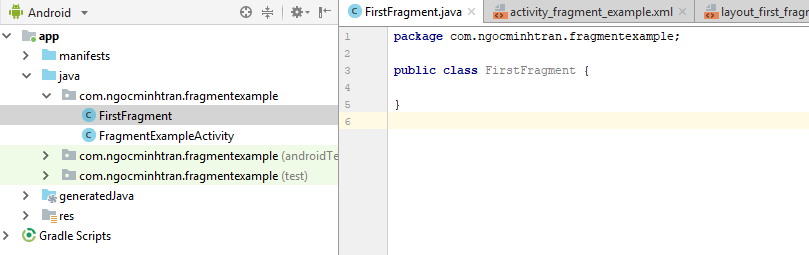
Nội dung của FirstFragment.java:
package com.ngocminhtran.fragmentexample;

  public class FirstFragment {

  }
Khai báo lớp FirstFragment là con của lớp Fragment và định nghĩa lại phương thức onCreateView:
package com.ngocminhtran.fragmentexample;

import android.os.Bundle;
import android.support.v4.app.Fragment;
import android.view.LayoutInflater;
import android.view.View;
import android.view.ViewGroup;

public class FirstFragment  extends Fragment {

    @Override
    public View onCreateView(LayoutInflater inflater,
               ViewGroup container, Bundle savedInstanceState) {

          // Inflate the layout for this fragment
          View view = inflater.inflate (R.layout.layout_first_fragment,
                       container, false);
          return view;
    }
}
Tới đây chúng ta đã hoàn thành việc tạo fragment đầu tiên. Bây giờ chúng ta sẽ tạo fragment thứ hai.
 Trần Ngọc Minh